No more copy-paste. Capture candidates instantly while you browse.
Built for recruiters and teams who source on LinkedIn daily.
No data stored · Works with any Google account · No setup required
Used by recruiters sourcing hundreds of candidates weekly
Takes less than 30 seconds to get started
 LinkedIn to Sheets
You know the drill:
open profile → copy → switch tab → paste → repeat.
It's slow, repetitive — and it kills your productivity.
LinkedIn to Sheets automates the most repetitive part of sourcing. Stay on LinkedIn. Your data updates automatically in Google Sheets. No friction, no switching tabs, no manual errors.
How it works
No setup headaches, no API keys. Just install, connect, and start sourcing faster.
Add LinkedIn to Sheets from the Chrome Web Store in seconds.
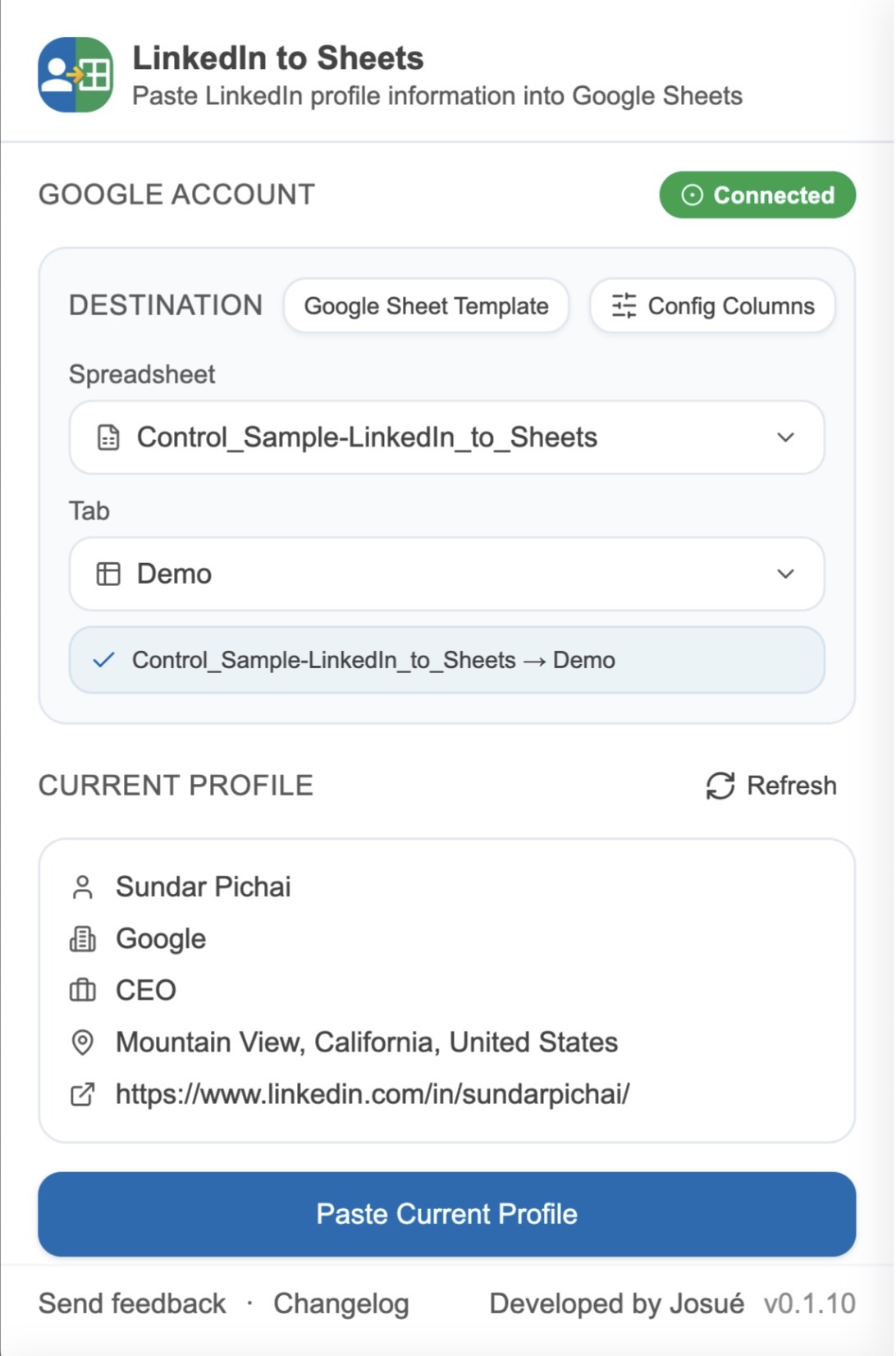
Sign in with Google and pick the spreadsheet and tab you want to fill.
Browse LinkedIn the way you always do. The extension reads the profile in view.
Name, company, title, location and profile URL land in the right columns instantly.
Features
Thoughtful details that compound over hundreds of profiles a week.
Reads the LinkedIn profile you're viewing and writes a clean row to your sheet.
Decide exactly which column receives Name, Company, Title, Location and Profile URL.
Already added that candidate? You'll be warned with the row number — no double entries.
Switch between spreadsheets and tabs from the popup. Great for active pipelines.
Your data stays between your browser, your Google account and your sheets.
Designed around real sourcing workflows — fast, focused, no bloat.
Your workflow, simplified
No setup. No complexity. Just one simple popup.
 Sundar Pichai - LinkedIn

CEO at Google & Alphabet
San Francisco Bay Area · Contact info
25,836,402 followers · 500+ connections
Chief Executive Officer of Google LLC and Alphabet Inc. Passionate about technology and its power to transform people's lives.
Save hours every week with one click